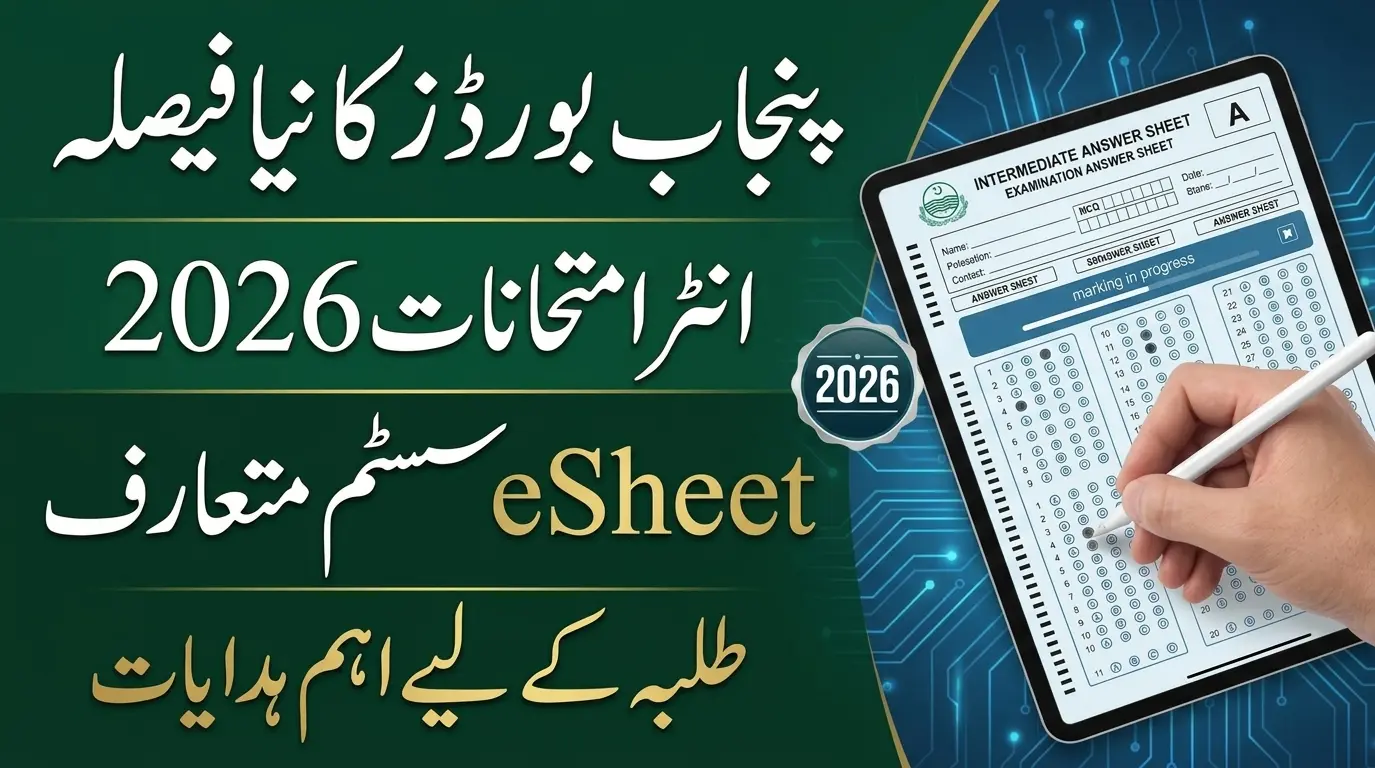
Punjab Boards Introduce eSheet System for Intermediate Exams 2026: Punjab’s education boards have begun using a new digital marking system for selected Intermediate papers in 2026. Students still write their answers on paper by hand. Examiners, however, check scanned copies of the answer sheets through a digital marking system.
BISE Lahore, Gujranwala, Multan, and Sargodha have all issued information and instructions about the eSheet system for the Intermediate Second Annual Examinations 2026. The Intermediate second annual exams began on November 3, 2026, so students should learn the new format now.
The system aims to make assessment more organised and bring modern technology into the exam process. Students must still follow the new answer sheet rules closely, because small mistakes can cause trouble during scanning and digital checking. This guide covers the key instructions and precautions.
Read Also: Air University Spring 2027 Admissions Open for BS, MS, MBA and PhD Programs
پنجاب کے تعلیمی بورڈز نے انٹرمیڈیٹ سیکنڈ اینول امتحانات 2026 کے منتخب پرچوں کے لیے نیا eSheet سسٹم شروع کیا ہے۔ طلبہ پہلے کی طرح کاغذ پر جوابات لکھیں گے، مگر امتحان کے بعد جوابی کاپیاں اسکین ہوں گی اور ڈیجیٹل طریقے سے چیک کی جائیں گی۔ لاہور، گوجرانوالہ، ملتان اور سرگودھا بورڈز نے ہدایات جاری کی ہیں۔ طلبہ رول نمبر، ایم سی کیو بلبلز، ذاتی معلومات اور جوابات مقررہ جگہ پر احتیاط سے لکھیں۔ بارکوڈ، کیو آر کوڈ اور جوابی کاپی کے مخصوص حصوں پر غیر ضروری نشان نہ لگائیں تاکہ اسکیننگ اور مارکنگ میں کوئی مسئلہ نہ ہو۔
Table of Contents
What Is the Punjab Board eSheet System?
The eSheet system is a digital way to assess answer sheets. Students write their answers on specially designed paper sheets. After the exam, the boards scan the completed sheets and send digital copies to examiners for marking.
Students do not sit their exams on computers. They still attend the exam hall and write by hand. The difference is that examiners mark scanned sheets and not only the physical copies.
The format asks you to pay attention to roll number bubbles, MCQ responses, printed sections, barcodes, and the designated writing spaces. You can follow other exam news in our Results & Education section.
Read Also: CM Punjab Laptop Scheme Phase 2 Distribution Schedule 2026
[Insert second image here – alt text: “Punjab Board eSheet answer sheet sample”]
Punjab Boards Introducing the eSheet System
These Punjab boards have published information or instructions on the new digital marking system for selected Intermediate papers.
| Education Board | eSheet System Information |
|---|---|
| BISE Lahore | Information on the new marking system |
| BISE Gujranwala | Illustrated eSheet instructions |
| BISE Multan | Information on digital assessment |
| BISE Sargodha | Information on digital assessment |
Follow the latest instructions from your own board, because answer sheet layouts and exam requirements can differ. Gujranwala’s second annual written exams started on November 3, 2026 with Part-II papers, and Part-I papers start on November 17, 2026. Reports also say the tentative result date for the Intermediate second annual exams is January 12, 2027.
How to Fill Punjab Board eSheets Correctly
BISE Gujranwala shared an illustrated guide on how to complete the new eSheet format for Computer Science and Statistics papers. It can also help you understand similar formats at other boards. Always follow the instructions printed on your own answer sheet.
1. Use the Correct Pen
Use only the writing instrument your board allows. The BISE Gujranwala guide says to use a blue ballpoint or fountain pen. It does not allow gel pens, markers, or highlighters. Arrange your permitted stationery before you enter the hall, because an unauthorised pen can cause problems when the sheet is scanned.
2. Write Your Roll Number Carefully
Entering the roll number correctly is one of the most important steps. Write it in the boxes and fill the matching bubble for each digit. Compare it with your official roll number slip before you fill the bubbles. A wrong digit or a poorly filled bubble can create identification problems during processing.
3. Complete All Required Personal Information
Fill every required detail in its section. These may include:
- Student’s name
- Father’s name
- Exam roll number
- Exam date
- Subject name
- Paper code
- Other required exam information
Write clearly and accurately, and do not leave mandatory fields blank.
Read Also: 10th Class Result 2026 – Check by Roll Number, Name & SMS
4. Fill MCQ Bubbles Properly
Mark MCQ answers with care. Darken the selected bubble completely, and do not use a tick, a cross, or a half line. Check that the bubble matches the correct question number. Keep these points in mind:
- Fill only the bubble for your chosen answer.
- Do not leave bubbles partly filled.
- Avoid extra marks around the options.
- Do not mark more than one bubble unless told to.
- Check the question number before you choose.
Scanning software may process this section, so accurate bubbles matter most here.
5. Write Short Answers in the Correct Sections
The new format gives separate spaces for different questions. Write each short answer in the space assigned to that question. In the BISE Gujranwala guide, short-question answers begin on page 5, with separate spaces for Questions 2, 3, and 4. Check the question numbers and do not write in unrelated sections. Page arrangements can differ by subject and board, so follow your actual answer sheet.
6. Complete Long Questions in the Allocated Spaces
Answer long questions within their own sections. The BISE Gujranwala guide gives separate spaces for Questions 5 to 9, starting on page 19. Follow the printed question numbers and page arrangement, and do not spill into other areas. Good use of space helps you finish the paper and avoids confusion during digital checking.
7. Do Not Write Over Barcodes or Margins
Barcodes, QR codes, and other printed marks help authorities identify and process scanned sheets. Avoid these actions:
- Writing over barcodes or QR codes
- Damaging printed identification marks
- Making unnecessary marks in the margins
- Writing outside the designated answer areas
- Drawing unrelated marks on the sheet
Keeping these areas clean helps prevent scanning and identification problems.
8. Use the Designated Rough Work Page
Do rough calculations only in the space provided. In the BISE Gujranwala guide, page 34 is for rough work, and extra answer sheets are not provided. Use your space carefully and avoid wasting pages. Read the instructions on your own sheet before the paper starts.
9. Review Your Answer Sheet Before Submission
Before you hand in the sheet, take a moment to check the key points:
- Correct roll number and matching bubbles
- Complete personal and exam information
- Properly filled MCQ bubbles
- Answers under the correct question numbers
- No marks on barcodes or margins
- All required sections completed
- Rough work done in the designated area
This quick check can catch mistakes you could otherwise avoid.
Important eSheet Instructions at a Glance
| Requirement | Important Instruction |
|---|---|
| Pen | Use the permitted blue ballpoint or fountain pen according to the board guide |
| Roll Number | Write it correctly and fill the matching bubbles |
| Personal Details | Complete all required information |
| MCQs | Completely darken the selected bubble |
| Short Questions | Write answers in their assigned sections |
| Long Questions | Follow the printed page allocation |
| Barcodes | Do not write over printed identification marks |
| Margins | Avoid unnecessary markings |
| Rough Work | Use the designated rough work page |
| Additional Sheets | Check your board’s instructions on extra sheets |
Will Students Take Exams on Computers Under the eSheet System?
No. Students take Intermediate exams with pen and paper as before. The digital system works at the assessment stage. After the paper, authorities scan the sheets and give digital copies to examiners for marking. You do not need a computer, laptop, or internet connection to attempt the exam.
Read Also: D.I.Khan Board 10th Class Result 2026
What Should Students Do Before Intermediate Exams 2026?
Students sitting the Intermediate Second Annual Examinations 2026 should learn the new answer sheet format before each paper. Read your board’s instructions and practise filling roll number bubbles, completing MCQs, and writing in the allocated spaces.
Do not rely only on another board’s guide, because layouts and page numbers can vary. You can check the exam schedule in this ProPakistani report on the Punjab boards’ second annual exam dates. Following the official guidelines reduces avoidable mistakes during scanning and assessment.
Final Words
The eSheet system is a major step in modernising the Intermediate exam process in Punjab. Students still write on paper, but digital scanning and on-screen marking change how selected papers are assessed.
Pay special attention to roll number bubbles, MCQ responses, answer sections, barcodes, and rough work instructions. Learning these rules before you enter the hall helps you avoid common mistakes. Follow the latest instructions from your board and read the guidelines printed on your answer sheet carefully.