
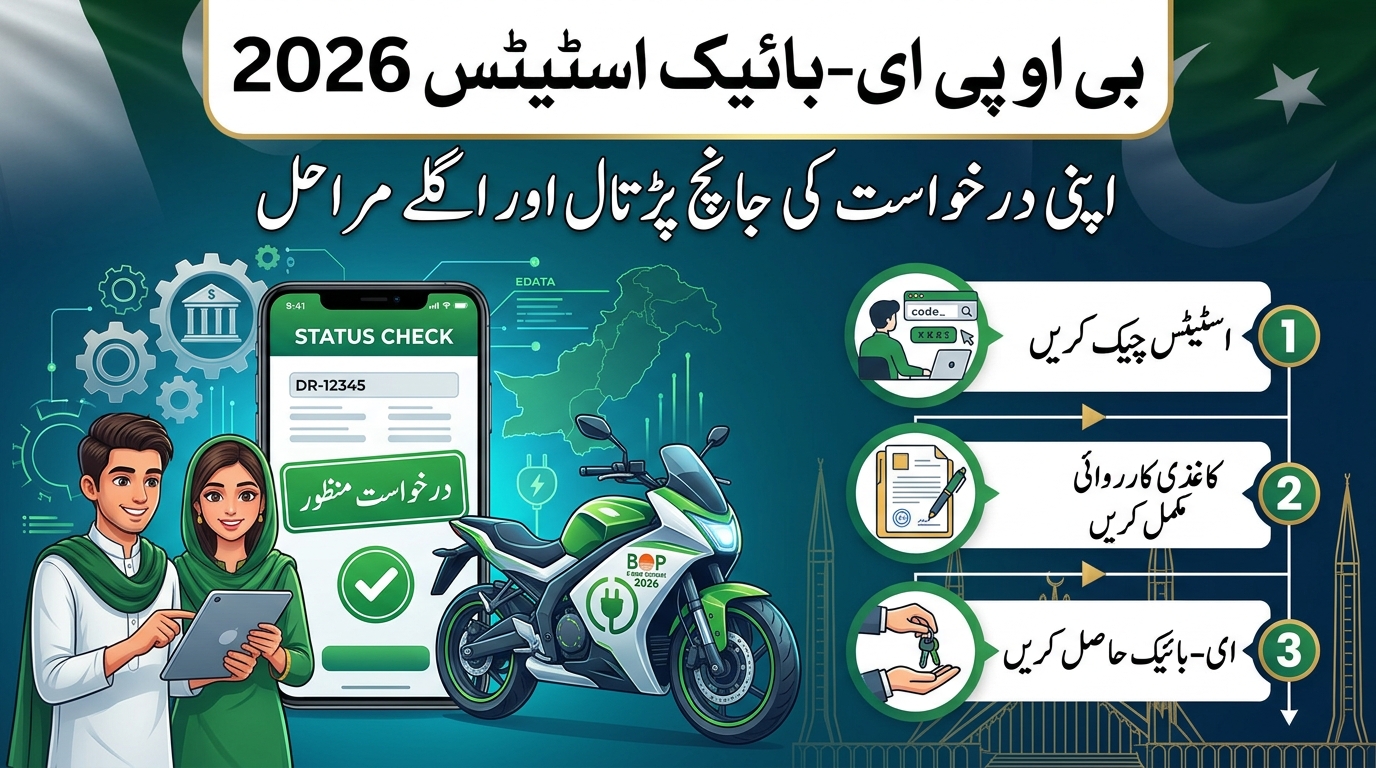
Checking your BOP E-Bike status helps you understand where your Punjab bike-scheme application stands and whether you need to take action. However, an application being submitted, a document being verified, and an applicant being selected in a ballot do not necessarily mean the same thing.
The most important distinction is this: ballot selection should not automatically be treated as final bank approval or confirmation that your bike is ready for collection. Read the exact message attached to your application and follow the instructions issued through official channels.
This guide from New Pakistan Jobs explains how to approach the official status-checking process, interpret common application messages, deal with pending verification, and prepare for any further bank requirements.
Information checked: 29 October 2026. This is an independent information guide, not a government announcement. A year in the article title does not confirm that fresh registration is open. Application dates, financing terms, and delivery arrangements must be checked against the official notice for your scheme phase.
What Is BOP E-Bike Status?
BOP stands for The Bank of Punjab. In the context of the Punjab student bike scheme, BOP E-Bike status generally refers to information about an applicant’s progress through the bank-related part of the process.
An application may involve several separate checks. These can include student eligibility, motorcycle licence or learner’s permit verification, selection under the relevant allocation process, and financing requirements.
The official Punjab scheme portal identifies Bank of Punjab as a participating institution and provides scheme-related guidance. Bank of Punjab also has an official page titled Provision of Interest-Free Bikes to Students Scheme. [1][2]
A useful way to read your application is to ask two questions:
What stage has been completed?
For example, a licence check may be complete while another part of the application remains under review.
What action is required now?
A message asking for a document or branch visit matters more than a general pending label without instructions.
Do not assume that every verification field updates at the same time.
Official Websites for Checking Punjab Bike-Scheme Information
Use official government or bank websites when checking an application or entering personal information.
| Official resource | What it is useful for |
|---|---|
| Punjab bike-scheme portal | Scheme information, official notices, and available applicant services |
| Punjab bike-scheme login page | Accessing your registered account when the service is available |
| Bank of Punjab student bike-scheme page | Bank-published information about the student financing scheme |
| BOP eBikes page | An official Bank of Punjab bike-related page; confirm its current purpose and access instructions through official channels |
Important: The current fields and functionality of the BOP eBikes page could not be verified during this review because access was restricted. Do not assume that it offers a public CNIC-only checker simply because another website says so.
New Pakistan Jobs is an information website. It does not approve applications, change bank decisions, or provide access to private applicant records.
How to Check Your BOP E-Bike Application Status
The safest starting point is the official Punjab bike-scheme portal and the account you used when applying.
Step 1: Open the official portal
Visit bikes.punjab.gov.pk
Check the full website address before entering information. A website mentioning Punjab, BOP, or e-bike in its name is not necessarily an official service.
Step 2: Use the applicant login option
Open the official login page or follow the sign-in link available on the portal.
Use the credentials associated with your original application. Follow the fields currently displayed rather than relying on an old screenshot or an unofficial tutorial.
If you cannot remember your password, use the portal’s recovery facility if it is available.
Step 3: Find your application record
After signing in, locate the application or tracking section available in your account.
Review the whole record. A single status label may not show whether a supporting document, eligibility check, or bank requirement still needs attention.
Step 4: Read every instruction attached to the status
Look for a request to correct information, provide documents, contact support, or attend a specified branch.
If an instruction includes a deadline, record it and act before that date. Do not substitute a deadline from another applicant’s message.
Step 5: Save a private record
Keep a screenshot or written record of the exact status wording and the date you checked it.
This can help when contacting support. Before sharing a screenshot publicly, hide your CNIC, phone number, address, application reference, and other personal details.
Step 6: Follow the official next step
If no action is requested, continue monitoring the official account. If an action is requested, complete it through the authorised channel and retain any acknowledgement.
Creating another application merely because the first one is pending can cause confusion. Ask official support how to proceed before submitting again.
Can You Check BOP E-Bike Status by CNIC?
Applicants often search for BOP E-Bike status check by CNIC. However, that search phrase does not establish that a public CNIC-only service is currently available.
Use your CNIC only where an official government or bank page explicitly requests it. The service may also require account credentials or other verification details.
During this review, the current input fields on the BOP bike page could not be inspected. Therefore, this guide does not claim that entering a CNIC alone will display your application.
If a third-party website offers an instant result, consider whether it genuinely connects to an authorised service. Do not enter your identity details into an unrelated form just to see whether it works.
An informational article can explain the process, but it cannot independently retrieve your private bank status.
Common Application Messages and What They May Mean
The following table provides general interpretations, not a verified list of exact labels used in every version of the official portal.
Your own application message and any accompanying instructions take priority.
| Message or stage you may encounter | General interpretation | Sensible next action |
|---|---|---|
| Submitted or received | The system has recorded an application; this is not necessarily approval | Confirm that submission is complete and retain the acknowledgement |
| Pending or under review | A decision or verification step has not been completed | Check whether a document or response is required |
| Student verification pending | Student eligibility has not yet been confirmed | Review your academic details and contact the relevant institution if instructed |
| Licence verification pending | The licence or learner’s permit check remains unresolved | Check the submitted details and follow the official correction process |
| Licence verified | That particular check has been completed | Review the remaining application stages |
| Selected in ballot | The application has been selected in the relevant draw or allocation | Read the official post-selection instructions |
| Waiting list | The applicant has not received immediate selection under that list | Monitor notices for the same scheme phase |
| BOP verification pending | A bank-related review or requirement remains incomplete | Check for bank instructions or request clarification |
| Documents required | Additional or corrected supporting information is needed | Submit only what is requested through the authorised route |
| Approved or sanctioned | Approval has been indicated for the stated stage | Read any conditions and confirm remaining formalities |
| Rejected or ineligible | The application has not passed the stated requirement or decision | Obtain the reason and ask whether correction or review is available |
| Delivery or collection instruction | Handover arrangements have been communicated | Verify the location, date, documents, and any payment instructions |
A label without explanation may be ambiguous. If you are unsure whether a message relates to eligibility, financing, or delivery, ask support to identify the outstanding stage.
Selected in Ballot: Does It Mean Your Bike Is Approved?
Not necessarily. Ballot selection and completion of bank formalities should be treated as separate issues unless the official instructions explicitly say otherwise.
Being selected indicates an outcome under the relevant ballot. It does not, by itself, tell you whether every document has been accepted, every financing condition has been completed, or a bike has been allocated for immediate collection.
After selection, carefully review any official request relating to documents, financing arrangements, signatures, or a branch appointment.
Avoid travelling to a dealership or making a payment based solely on a name appearing in a list. First confirm what the selection notice requires.
Likewise, do not rely on another applicant’s experience as proof that your case follows the same schedule. Their scheme phase, application category, or outstanding requirements may differ.
Licence Verified but BOP Status Pending
If your account shows that your motorcycle licence or learner’s permit has been verified while the BOP status remains pending, the completed licence check should not be confused with completed bank processing.
These messages concern different parts of an application.
Start by checking whether the account contains a bank-related instruction. A general pending label may not reveal the reason for the delay.
Possible matters to ask about include whether supporting information is missing, whether a submitted correction has been received, or whether an appointment is required. These are questions to clarify—not confirmed explanations for your individual case.
When contacting support, use the exact wording:
My licence verification shows verified, but the BOP field shows pending. Please confirm which bank requirement is outstanding and whether I need to take any action.
This is more useful than asking only, When will I get my bike?
Student Verification and Bonafide Certificate Issues
The official Punjab portal’s indexed eligibility guidance describes regular students enrolled in qualifying degree programmes at HEC-recognised universities or graduate colleges in Punjab as eligible under the published scheme criteria. Those criteria relate to the scheme information available and should not be assumed to define every later phase. [1]
If your application asks for student verification or a bonafide certificate, follow the format and submission route specified in that request.
Before resubmitting a document, compare the academic details in your application with your institution’s records.
| Detail to review | Why it matters |
|---|---|
| Student name | Different spellings may require clarification |
| Institution name | The application should identify the correct institution |
| Programme or degree | It should match the supporting academic record |
| Registration or roll number | It helps identify the relevant student record |
| Enrolment status | The requested document should reflect the required status |
| Required authentication | Follow any stated signature, stamp, or format requirements |
| Document legibility | Unclear scans can make review difficult |
Do not alter an official certificate yourself. Ask your institution to correct genuine errors and use the authorised correction process.
Documents to Prepare Before a BOP Branch Visit
The definitive checklist is the one issued for your application. The table below is a preparation guide, not a claim that every item is compulsory.
| Document or information | When it may be relevant |
|---|---|
| Original CNIC | If identity verification is requested |
| Application acknowledgement or reference | To help staff locate your case |
| Official appointment or selection message | To show the purpose of the visit |
| Motorcycle licence or learner’s permit | If the branch requests licence-related evidence |
| Student identity card | If student identification is required |
| Enrolment or bonafide certificate | If academic verification is outstanding |
| Copies of previously submitted documents | To discuss a discrepancy or correction |
| Guarantor documents | Only if specifically required for your financing arrangement |
| Income-related evidence | Only if requested under the applicable bank requirements |
Confirm the designated branch, appointment arrangements, and whether anyone else must attend before travelling.
Do not assume the nearest BOP branch handles your particular application. A message directing you to a specific location should be verified and followed.
Why Is My BOP E-Bike Status Not Changing?
An unchanged status does not reveal its cause. It may mean that a review remains incomplete, but it is not proof of rejection.
Check whether you have already been asked to do something. A missed document request or unread instruction is different from an application awaiting a decision with no action required.
Compare the information you submitted with your supporting records. If you previously supplied a correction, check whether you received acknowledgement.
There is no verified universal processing period in the material reviewed for this guide. Claims such as all applications are approved within seven days should not be treated as reliable without an official notice applying to your case.
When you follow up, ask a specific question:
Please confirm whether my application is awaiting review or whether a document or other action is outstanding.
Record any response and ask for a complaint or enquiry reference where the support service provides one.
What to Do If Your Application Is Rejected
First, establish the reason. A rejection or ineligibility message may concern a particular requirement, and the appropriate response depends on that requirement.
If the issue involves incorrect information or an unreadable document, ask whether a correction route is available. If it involves eligibility criteria, request clarification of the rule applied to your application.
Do not assume there is an automatic appeal, guaranteed reconsideration, or permission to submit a duplicate application.
Keep the original decision message and any correspondence. If support allows a correction, retain proof of submission and follow up through the same official route.
Nobody outside the authorised process should promise to remove a rejection in exchange for payment.
How to Check a Ballot Result or Waiting List
Use a ballot list linked by the official Punjab portal and confirm that it applies to the correct scheme phase and applicant category.
The official portal has search-indexed ballot and waiting-list documents. However, an older PDF remaining online does not establish that it is the current result for a 2026 application. [1]
Where an official list is provided, read its heading, category, date, and accompanying instructions before interpreting an entry.
If your name does not appear, consider whether you opened the correct list. That alone is not enough to diagnose an error.
If a public list and your private dashboard appear inconsistent, preserve the relevant details and ask official support to reconcile them. Do not assume that one automatically overrides the other.
Payments, Instalments, and Bike Collection
The official scheme material describes an interest-free student bike initiative, and the portal’s indexed FAQs state that the Punjab Government pays the loan markup under the published arrangement. [1][2]
Interest-free does not mean the applicant has no repayment obligation. The applicable principal repayment, contribution, and any other charges must be understood from the official financing documents for your case.
Before signing or paying, request a clear explanation of the arrangement.
| Matter to confirm | Question to ask |
|---|---|
| Applicant contribution | What amount, if any, must I pay upfront? |
| Instalment amount | What is my actual repayment amount? |
| Repayment period | How many instalments are due? |
| First due date | When does repayment begin? |
| Other charges | Which charges apply, and where are they documented? |
| Payment method | Which authorised payment channel should I use? |
| Collection conditions | What must be completed before handover? |
Do not pay an individual’s personal account because they claim to be an agent. Verify payment instructions through the official bank or scheme channel and keep receipts.
For collection, rely on your confirmed handover instructions—not a general delivery prediction in a blog post.
Official Support and a Useful Enquiry Format
The official Punjab portal’s search-indexed FAQ lists a scheme helpline of 042-111-333-267. Its registration page also lists support@bikes.punjab.gov.pk
. These details were found in official indexed material on 29 October 2026; verify them on the live portal when possible before use. [1][3]
A focused enquiry makes your issue easier to understand.
Subject: Clarification of pending bike-scheme application status
Dear Support Team,
My application currently displays [exact status wording]. I checked the account on [date]. Please confirm which requirement remains outstanding and whether I need to submit a document, correct information, or attend a designated branch.
Please also confirm any applicable deadline and the authorised method for completing the next step.
Thank you.
Supply identifiers only through a verified support channel and only as needed. Never send your password or OTP.
If the Official Portal Does Not Open
A loading error does not mean your application has been rejected, removed, or cancelled.
Try accessing the official address again later, using an updated browser or another trusted internet connection. If a deadline is approaching, contact official support rather than relying only on repeated login attempts.
During research for this guide, the Punjab portal returned a loading error and the bank pages restricted automated access. That describes the access attempt made for this article; it does not establish a service-wide outage.
Do not move to an unofficial mirror that asks for credentials just because the official page is temporarily inaccessible.
Protect Your CNIC and Avoid Fake Status Checkers
Application tracking involves sensitive information. Be cautious about pages claiming to provide guaranteed approval, priority delivery, or instant access to bank records.
| Warning sign | Safer response |
|---|---|
| A person asks for your OTP | Do not share it |
| A page requests your bank PIN or card security code | Stop and verify the service |
| An agent promises guaranteed selection | Confirm all claims through official channels |
| Payment is requested to change a status | Do not pay; seek official clarification |
| A form asks for CNIC images without a clear authorised purpose | Do not upload them |
| A message creates pressure to act immediately | Verify the request independently |
| A screenshot contains another applicant’s personal data | Do not circulate it |
Do not post your CNIC or application documents in the comments section of this article. New Pakistan Jobs cannot check private records from those details.
Frequently Asked Questions
What does BOP mean in the Punjab e-bike scheme?
BOP means The Bank of Punjab. Its status field generally concerns the bank-related part of the application or financing process.
Does “pending” mean my application is rejected?
No. Pending generally indicates that a stage has not been completed. Read any accompanying instructions to determine whether you must act.
Is ballot selection the same as final approval?
Do not assume so. Selection may be followed by further requirements. The official instructions attached to your case explain what remains.
Can New Pakistan Jobs check my status for me?
No. New Pakistan Jobs provides guidance, not access to private government or bank records. Check through an authorised service or official support.
Is fresh registration open in 2026?
A current registration window was not verified during this review. Check the official portal for a dated notice applying to the relevant phase.
Can I apply for both an electric and a petrol bike?
The official portal’s indexed FAQ states that applicants cannot apply for both types at the same time under the published scheme rules. Confirm the rules for any later phase before applying. [1]
Is a motorcycle learner’s permit acceptable?
The official indexed FAQ identifies either a motorcycle driving licence or a learner’s driving permit issued by a licensing authority as an eligibility requirement under the published scheme guidance. Check the applicable phase instructions. [1]
How long does BOP verification take?
No universal processing period was verified for this article. Ask official support whether your case is awaiting review or requires action.
When can I collect my bike?
Collect it only after receiving and verifying the relevant handover instructions and completing the stated requirements.
Final Advice
The best way to manage your BOP E-Bike status is to read the exact official message, identify the outstanding stage, and complete any requested action through the authorised channel.
Keep ballot selection, bank approval, and bike collection separate in your understanding. Save acknowledgements, protect your personal information, and ask support specific questions when a status is unclear.
Always use the official Punjab portal and Bank of Punjab channels for application decisions. New Pakistan Jobs is an independent guide, not the approving authority.
Sources and verification
| Reference | Source | Retrieval note |
|---|---|---|
| [1] | Official Punjab bike-scheme portal | Official search-indexed guidance reviewed on 29 October 2026; direct page loading unsuccessful |
| [2] | Bank of Punjab: Provision of Interest-Free Bikes to Students Scheme | Official search-indexed scheme description reviewed on 29 October 2026; direct access restricted |
| [3] | Official Punjab bike-scheme registration page | Official search-indexed contact information reviewed on 29 October 2026 |


3 thoughts on “BOP E-Bike Status 2026: How to Check Your Application and Understand the Next Steps”